


Choosing karaoke software is not just about the price tag. A home user who sings with friends on Saturday night needs something very different from a KJ running a bar four nights a week. In this guide we compare three popular options side by side — Karaoke5, KaraFun and Kanto Karaoke — and tell you honestly where each one shines and where it falls short.
Full disclosure: Karaoke5 is our software. We have tried to be fair: competitor prices and features below come from their official websites as of October 2026, and we point out where they do things better than we do.
Quick verdict
- Choose KaraFun if you only want a simple streaming app and you are happy to pay a monthly subscription for it.
- Choose Kanto Karaoke if you want a simple, low-cost player and you work mostly on Windows.
- Choose Karaoke5 if you already have (or want to build) your own karaoke library, need professional tools like dual screen and singer rotation, and prefer a one-time license over a monthly fee. Need songs too? Add the licensed Digitrax catalog subscription directly inside Karaoke5.
Comparison at a glance
| Karaoke5 | KaraFun | Kanto Karaoke | |
|---|---|---|---|
| Pricing model | Free version + one-time license (or optional annual subscription) | Free (samples) + monthly subscription | Free version + 3-year license |
| Home / personal | Home: €55 one-time (1 PC, 1 year of updates included) | Premium: $9.99/month | Standard: $49 (1 PC, 3 years, no professional use) |
| Professional | Pro: €155 one-time (3 PCs, 1 year of updates included) | Pro: $49.99/month (includes public venue license) | Professional: $69.95 (3 Windows PCs, 3 years) |
| Platforms | Windows, macOS, iOS, Android | Windows, macOS, iOS, Android, web | Windows, macOS, Android app |
| Song catalog included | Yes — Digitrax catalog, 29,000 songs for $29.99/month (public performance license included), plus your own library, YouTube search and the Karaoke5 P2P network | Yes — licensed streaming catalog, offline sync up to 1,000 songs | No — your own files (YouTube extension available) |
| Your own files | K5, MIDI, KAR, KFN, MP3, WMA, MP3+CDG, WMA+CDG, CD+G, VS, MP4, FLV | KaraFun Player: KAR, MID, KOK, LRC, KFN, MP3, CDG, AVI, MPG, MP4 | MIDI, KAR, MP3+CDG, KFN, MP4, AVI, WMV |
| Dual screen (lyrics on TV) | Yes (Pro) | Yes (all apps) | Yes (limited in the free version) |
| Singer rotation / queue | Yes — guests book songs from their smartphones | Queue management, phone remote (up to 20 users Premium, 100 Pro) | Singers rotation list (Professional only) |
| Key change | Yes | Yes (key, tempo, vocal volume) | Yes (key, pitch, tempo) |
| Vocal remover | Real-time, built in | Vocal volume on catalog songs | Separate tool (Kanto Vocal Remover) |
| Music quiz | Yes, generated from your own library | Yes (quiz and battle games) | No |
| Create karaoke files | Lyrics synchronizer: K5, MIDI, MP3, MP4 (Home and Pro) | No | MIDI to MP3 conversion, voice recording |
| AI features | AI voice assistant (search by voice, 8 languages) | — | — |
Prices and features checked on the official websites in October 2026. They may change — always check the vendor's site before buying.
KaraFun: a streaming catalog in a simple app
KaraFun's biggest strength is its licensed streaming catalog. You open the app, search a song and sing — no need to find or buy karaoke files. Premium adds offline sync for up to 1,000 songs, key and tempo control, vocal volume and a phone remote for up to 20 guests.
The Pro plan adds something that matters a lot for venues: a public performance license for the recordings, plus logo and banner customization and up to 100 connected users.
The trade-off is the subscription. At $49.99/month, a venue pays about $600 a year, every year, and if you stop paying you lose access to the catalog. KaraFun Player can also open your own files (KFN, CDG, MP3, MIDI and video), but the service is clearly built around its catalog.
Kanto Karaoke: a simple, low-cost player
Kanto Karaoke is a straightforward player for Windows and Mac, with an Android app. It plays the classic formats — MIDI, KAR, MP3+CDG, KFN and video — and adds handy extras such as voice recording and MIDI to MP3 conversion.
Pricing is affordable: Standard costs $49 and Professional $69.95, but both licenses last 3 years, not forever. The Professional edition adds the singer rotation list and covers 3 Windows PCs. The free version is quite limited (5 songs per playlist, 1-minute recordings, dual screen restrictions).
The trade-off: fewer advanced tools for live shows. There is no music quiz, and the vocal remover is a separate product.
Karaoke5: for your own library and professional shows
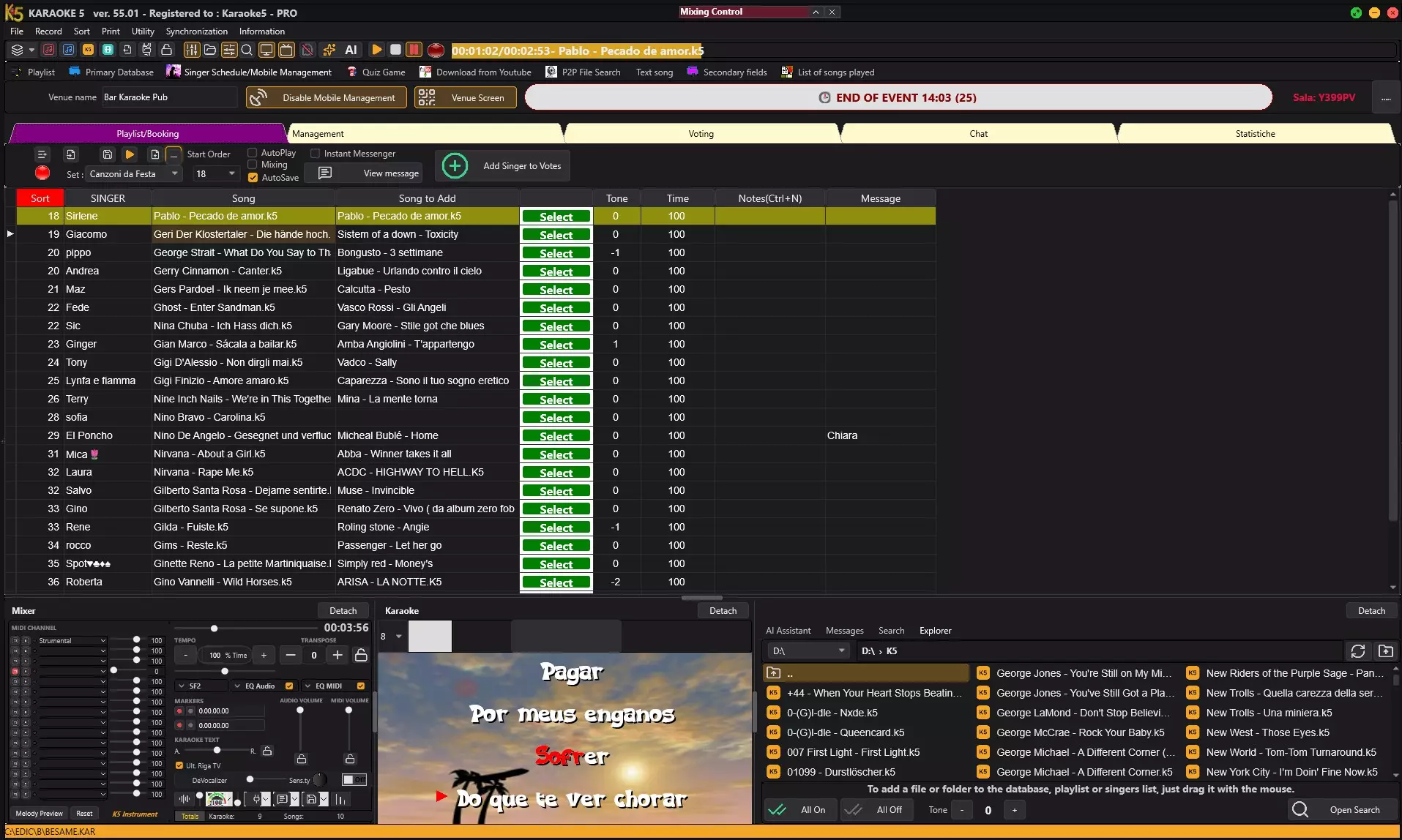
Karaoke5 has been developed for more than 30 years and is used by around 6,000 customers, from families to professional KJs. It is built for people who want full control over their own karaoke library:
- Plays almost everything: K5, MIDI, KAR, KFN, MP3+CDG, WMA, VS and video files.
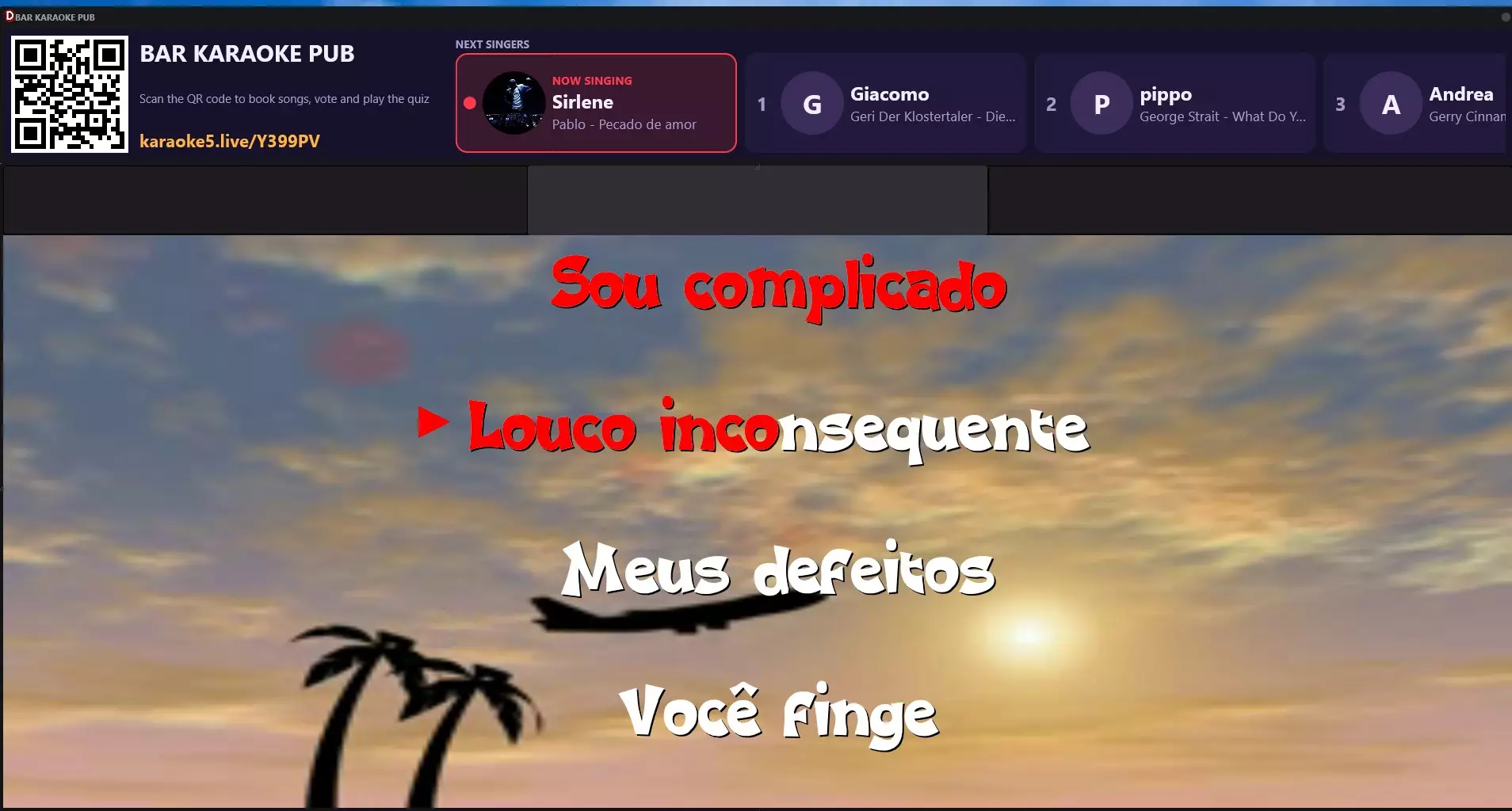
- Dual screen (Pro): lyrics on the TV for the audience, full control on your PC. Read our dual screen guide.
- Singer rotation from smartphones: guests book songs, vote and send messages from their phones. How singer rotation works.
- Real-time vocal remover to sing songs that have no karaoke version.
- YouTube search and download directly inside the program.
- Music quiz generated automatically from your own songs — great for parties and bar nights.
- Lyrics synchronizer to create your own karaoke files (Home and Pro).
- AI voice assistant: ask for a song by voice in 8 languages.
Pricing: the free version lets you try the program. Licenses are one-time: Home €55 (1 PC) or Pro €155 (3 PCs), each with one year of updates included and optional update renewals afterwards. If you prefer, there is also an annual subscription (Home €35/year, Pro €75/year).
Songs included: thanks to the agreement with Digitrax, you can subscribe to the Digitrax karaoke catalog directly inside Karaoke5, with the public performance license included: 29,000 songs for $29.99/month. The subscription is optional: you can keep using your own files, YouTube or the P2P network if you prefer.
The trade-off: there is no monthly fee for the program itself, but the Digitrax catalog is a separate subscription. Also note that the Home license is for private use only: it shows a "do not use in public" notice and the second TV window is disabled.
Cost over three years
A simple way to compare: how much does each option cost for a professional venue over three years?
- KaraFun Pro: $49.99 × 36 months ≈ $1,800 (includes the song catalog and venue license).
- Kanto Karaoke Professional: $69.95 for a 3-year license (songs not included).
- Karaoke5 Pro: €155 one-time, plus optional update renewals (€65/year); songs: your own files, or the optional Digitrax catalog (29,000 songs, venue license included) at $29.99 × 36 months ≈ $1,080.
The real difference: with KaraFun you rent the program and the catalog together, and if you stop paying you lose both. With Karaoke5 you own the program and add the licensed Digitrax catalog only if you need it.
Which one should you choose?
- You sing at home and want songs ready to go: Karaoke5 Home with the Digitrax catalog subscription.
- You need a basic player on a tight budget: Kanto Karaoke Standard, or the free version of Karaoke5.
- You have a karaoke library and want advanced tools without a monthly fee: Karaoke5 Home.
- You are a KJ or run a venue and already have your own files: Karaoke5 Pro, for dual screen, singer rotation, vocal remover and quiz in one program.
- You are a venue without a song library and want licensing handled for you: Karaoke5 Pro with the Digitrax catalog subscription (public performance license included).
- You only want a simple streaming app and don't need professional hosting tools: KaraFun.
Frequently asked questions
Is Karaoke5 a good KaraFun alternative?
Yes. Karaoke5 plays your own karaoke files with a one-time license, and if you want songs ready to sing you can subscribe to the Digitrax catalog inside Karaoke5, with the public performance license included.
Can I use my KFN and CDG files in Karaoke5?
Yes. Karaoke5 plays KFN, MP3+CDG, CD+G, MIDI, KAR and video files, so you can move an existing library without converting it.
Is there a free version?
All three have one. KaraFun's free plan plays samples and a limited selection of songs, Kanto's free version limits playlists and recording, and Karaoke5 Lite is free to use.
Does Karaoke5 work on Mac?
Yes. Karaoke5 runs on Windows and macOS, and there are apps for iOS and Android. See our guide to karaoke software for Mac.